
Light Sensor: What It Is, How It Works, and Where It’s Used

Updated: Sep 16

Overview | Light Sensors
Light sensors are everywhere, even if we rarely notice them. From smartphones adjusting screen brightness to streetlights turning on automatically at night, light sensors quietly handle tasks that make modern technology feel effortless.
Despite their wide use, many people only have a vague idea of what a light sensor actually does. Let’s clear that up with a simple, human explanation - no heavy electronics theory, no buzzwords.
What Is a Light Sensor?
A light sensor is an electronic component that detects the intensity of light and converts it into an electrical signal. That signal is then used by a device or system to make decisions, such as turning something on, turning it off, or adjusting brightness.
In short: A light sensor helps devices “see” light and react to it.
Why Light Sensors Are Important
Without light sensors:
Phone screens wouldn’t auto-adjust brightness
Automatic streetlights wouldn’t work
Cameras couldn’t measure exposure accurately
Smart homes would rely entirely on manual control
Light sensors reduce human effort, improve energy efficiency, and enable automation.
How a Light Sensor Works (Plain Explanation)
Most light sensors work on a simple principle:
Light falls on the sensor
The sensor’s electrical properties change
That change is measured as a voltage or current
A controller interprets the signal
An action is triggered (adjust, switch, record, etc.)
The brighter the light, the stronger the electrical response, and vice versa.
Common Types of Light Sensors
Different types of light sensors are designed to detect brightness in specific ways, allowing them to be used across smartphones, cameras, industrial systems, and smart devices.
LDR (Light Dependent Resistor)
This is the most common and beginner-friendly light sensor.
Resistance decreases when light increases
Resistance increases when light decreases
Used in:
Automatic night lamps
Light-sensitive alarms
Educational electronics projects
LDRs are simple, cheap, and effective, but not very precise.
Photodiode
Photodiodes convert light directly into electrical current.
Used in:
Light meters
Optical communication systems
Medical devices
They respond quickly and are more accurate than LDRs.
Phototransistor
A phototransistor works like a photodiode but with amplification.
Used in:
Object detection
Light-based switching
Industrial sensors
They’re more sensitive than photodiodes but slightly slower.
Ambient Light Sensor (ALS)
These are commonly found in smartphones, laptops, and TVs.
Used for:
Automatic screen brightness
Power-saving adjustments
User comfort
Ambient light sensors are optimized to match how human eyes perceive light, not just raw brightness.
Real-World Applications of Light Sensors
Light sensors are used in everyday technology to automatically respond to changes in brightness, making devices smarter, more efficient, and easier to use without manual adjustments.
Smartphones & Displays
Light sensors automatically adjust screen brightness based on surroundings, improving readability and saving battery. This helps prevent eye strain in low light and avoids overly bright screens when you’re outdoors in direct sunlight.
Automatic Lighting Systems
Streetlights, garden lights, and building lights use sensors to switch on at dusk and off at dawn. This reduces electricity waste and ensures lights are only used when they are actually needed.
Cameras & Imaging
Cameras use light sensors to calculate exposure, shutter speed, and ISO. By measuring available light accurately, sensors help capture clearer images without underexposure or blown-out highlights.
Smart Homes
Light sensors help automate curtains, lights, and energy usage based on daylight. They make homes more comfortable by adjusting lighting naturally throughout the day while also improving energy efficiency.
Industrial & Safety Systems
Used in:
Object detection
Counting systems
Safety light barriers
Light Sensor vs Motion Sensor (Quick Difference)
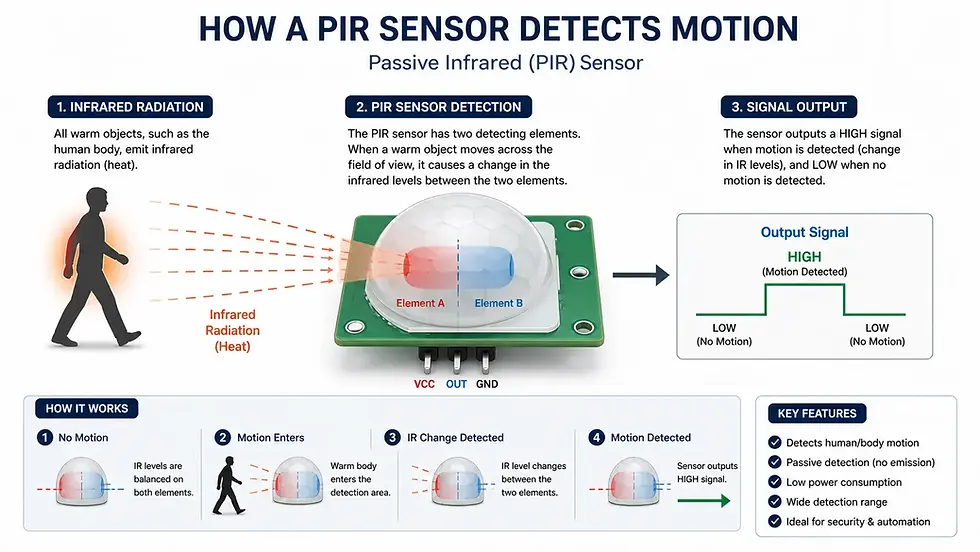
Light sensors respond to changes in brightness levels, while motion sensors detect physical movement, making each suitable for different automation and security use cases.
Light sensor → Detects brightness
Motion sensor → Detects movement
Many modern systems combine both for smarter automation.
Advantages & Limitations of Light Sensors
Light sensors offer convenience and energy efficiency by adapting to light conditions automatically, but their accuracy can be affected by dust, placement, or extreme lighting environments.
Advantages of Using Light Sensors
Low power consumption
Simple integration
Improves automation
Enhances user comfort
Reduces energy waste
Limitations You Should Know
Can be affected by dust or shadows
Basic sensors lack precision
May need calibration for accuracy
Performance varies with temperature (in some types)
Do You Need a Light Sensor?
If your project or device needs to:
React to day/night changes
Adjust brightness automatically
Save power intelligently
Then a light sensor is one of the simplest and most effective solutions.

Closing Notes
Light sensors may be small and inexpensive, but their impact is massive. They form the backbone of countless automated systems we rely on every day, often without realizing it.
By allowing devices to respond naturally to their environment, light sensors help create technology that feels smarter, more efficient, and more human-friendly.
Author: Kalyan Bhattacharjee
Category: Tech Reviews | Latest Technologies | Hardware | Tech Learning
Expertise: Technology Analyst & Hardware Research Writer
Source: Research-based content created using publicly available technical documentation, electronics references, and real-world device use cases


Comments