
DuckDuckGo Search Engine: Features, Privacy, Advantages & How It Works

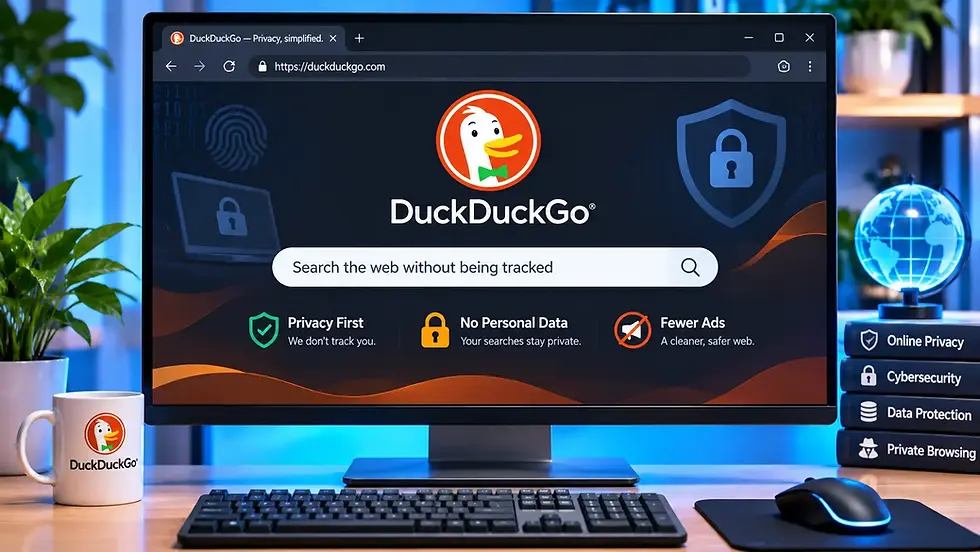
DuckDuckGo Search Engine
When we search for something online, we usually turn to Google without thinking twice. However, Google isn't the only search engine available. There are alternatives that focus on different priorities, and one of the most popular is DuckDuckGo. Unlike traditional search engines that use personal data to personalize search experiences, DuckDuckGo focuses on protecting user privacy. It allows you to search for websites, images, videos, news, and other information without creating a personal search history.
But how does DuckDuckGo work? Is it really private? Does it offer the same features as Google, and is it worth switching? Let's explore everything you need to know about the DuckDuckGo search engine.
What Is DuckDuckGo?
DuckDuckGo is an internet search engine designed to provide search results without tracking users' search histories or building personal profiles based on their searches. It was founded by Gabriel Weinberg and officially launched on September 25, 2008. Its main purpose was to offer an alternative to search engines that collect personal information to personalize results and advertising. Today, DuckDuckGo offers more than just a search engine. Its products include a privacy-focused web browser, browser extensions, email protection, and optional AI-powered features.
You can access its search engine directly through its official website: Visit DuckDuckGo. Unlike Google, DuckDuckGo emphasizes privacy as a central part of its search experience rather than relying on personal search histories to customize results.
How Does DuckDuckGo Work?
DuckDuckGo works similarly to other search engines. You enter a search query, and it displays relevant websites, images, videos, news articles, and other information. However, its approach to collecting and using personal information is different. When you search for something, DuckDuckGo retrieves relevant results from multiple sources, including its own web crawler and external search partners. It combines information from these sources to provide results on its search pages.
For example, if you search for "best laptops for gaming", DuckDuckGo will display relevant webpages, product-related information, images, and other results. The important difference is that DuckDuckGo doesn't save your search history or build personal search profiles based on your activity. It also offers privacy-respecting advertisements based on the search query rather than a personal advertising profile.
Key Features of DuckDuckGo Search Engine
DuckDuckGo offers several features that make it useful beyond basic web searches.
Private Search
Privacy is the main attraction of DuckDuckGo. Unlike search engines that associate search histories with user profiles, DuckDuckGo states that it doesn't track or save users' search histories. This means your previous searches aren't used to build a personal search profile for advertising or search personalization.
It's particularly useful for people who want to search the internet without having their search activity recorded by the search engine.
Bang Shortcuts (!Bang)
One of DuckDuckGo's most interesting features is its !Bang shortcuts. These shortcuts allow you to search directly within other websites without visiting them first.
For example:
!w: Search Wikipedia
!yt: Search YouTube
!a: Search Amazon
!g: Search Google
!reddit: Search Reddit
!gh: Search GitHub
For example, typing !w Windows 11 into DuckDuckGo takes you directly to Wikipedia search results for Windows 11. There are thousands of available Bang shortcuts, making this feature particularly useful for people who frequently search specific websites.
One privacy point to remember: When a Bang redirects you to another website, that website's own privacy policies apply.
Search Assist and AI Features
DuckDuckGo has also introduced optional AI-powered search features. One of them is Search Assist, which uses AI to generate short answers based on information found on the web. These answers include links to sources so users can explore the original information. Another feature is Duck.ai, which provides access to AI chatbots through a privacy-focused interface.
These features are optional, and users can adjust how frequently Search Assist appears or turn it off through the search settings. DuckDuckGo also states that its AI features are designed without tracking users' interactions or using their chats to train AI models.
Image and Video Search
DuckDuckGo isn't limited to text-based searches. It also provides dedicated search options for images and videos.
You can use these options to find:
Technology-related images and illustrations.
Product images and visual references.
Educational and tutorial videos.
Entertainment and other online media.
Its image and video search interfaces also provide filters to help narrow down results.
Privacy-Focused Advertisements
DuckDuckGo is free to use, but it still generates revenue through advertising. The difference is how those advertisements are selected. Instead of relying on a personal search or browsing history, its search advertisements are primarily based on the current search query.
For example, searching for smartphones may display advertisements related to smartphones and accessories. This allows DuckDuckGo to generate advertising revenue without building personal advertising profiles from users' search histories.
Regional Search Settings
DuckDuckGo allows users to adjust their preferred search region. This can be useful when searching for local services, regional news, products, or information relevant to a particular country.
For example, you can change the region setting to India to make your searches more relevant to Indian users. You can also customize language, Safe Search, autocomplete, and other search preferences.
DuckDuckGo Browser vs DuckDuckGo Search Engine
Many people confuse DuckDuckGo's search engine with its browser, but they are two different products. The search engine is a website that you can use through any compatible browser.
The DuckDuckGo browser is a separate application designed to provide additional privacy protections while browsing the internet.
Here's a quick comparison:
Feature | DuckDuckGo Search | DuckDuckGo Browser |
Main purpose | Search the web privately | Browse the web with privacy protections |
Search tracking | Doesn't track search history | Includes private search |
Tracker blocking | Not a complete browser-level solution | Blocks many third-party trackers |
Cookie protection | Limited to search experience | Includes cookie pop-up protection |
Browsing history protection | Depends on your browser | Includes built-in privacy controls |
Availability | Website and browser integrations | Windows, macOS, Android and iOS |
The browser includes additional features such as tracker blocking, cookie pop-up protection, smarter encryption, and the Fire Button, which clears recent browsing data from the device.
If you only want private searching, you can use DuckDuckGo with Chrome, Firefox, or another browser. If you want broader browsing protections, consider its dedicated browser.
DuckDuckGo vs Google: Which Is Better?
Google and DuckDuckGo are both popular search engines, but they have different approaches to search personalization and privacy. Google offers a large ecosystem of services, personalized search experiences, and extensive integrations. DuckDuckGo focuses more heavily on limiting the collection of personal search information.
Here's how they compare:
Feature | DuckDuckGo | |
Search history tracking | Doesn't track searches | Offers search history and activity controls |
Personalized search | Limited personal profiling | Extensive personalization options |
Advertising | Primarily query-based | Uses multiple advertising signals |
AI search features | Search Assist and Duck.ai | AI Overviews and other AI features |
Image and video search | Available | Available |
Maps and local search | Available through search integrations | Extensive Google Maps integration |
Ecosystem | Privacy-focused products | Extensive services and integrations |
Which One Should You Choose?
Choose DuckDuckGo if privacy is your priority and you prefer a search engine that doesn't build personal profiles from your search activity. Google may be a better choice if you regularly depend on its integrated services, personalized recommendations, Google Maps, and other features.
You don't necessarily have to choose only one. You can use DuckDuckGo for general searches and Google whenever you need its specific services or search capabilities.
Is DuckDuckGo Really Private and Safe?
DuckDuckGo is generally a good option for people who want to reduce search-engine tracking. Its privacy policy states that it doesn't save or share users' search, chat, or browsing histories in ways that can be tied back to them. It also uses encrypted connections to protect searches while they travel between your device and its service.
However, there are a few things worth understanding:
It doesn't make you completely anonymous: Your internet service provider can still see that you're connecting to DuckDuckGo, even though HTTPS protects the search queries themselves.
Other websites can still track you: Once you visit an external website, its own tracking and privacy practices apply.
Search privacy isn't the same as browser privacy: Using DuckDuckGo's search website alone doesn't provide all the tracker-blocking protections of its browser.
It doesn't replace a VPN: Private searching and hiding your network IP address are different things.
In short, DuckDuckGo offers meaningful privacy protections, but it shouldn't be treated as a complete anonymity or cybersecurity solution.
Is DuckDuckGo Free to Use?
Yes, DuckDuckGo Search is completely free to use. You don't need to create an account, purchase a subscription, or install any software to access its search engine. Its main revenue source is advertising based on search queries rather than personal search profiles.
DuckDuckGo also offers a separate paid subscription that includes additional privacy services, such as a VPN, personal information removal, identity theft restoration, and access to advanced AI models. These paid services are optional and aren't required for ordinary searches.
How to Set DuckDuckGo as Your Default Search Engine
If you prefer DuckDuckGo over Google, you can make it your default search engine in your browser.
For example, in Google Chrome:
Open Google Chrome.
Click the three-dot menu in the upper-right corner.
Select Settings.
Open Search engine.
Find the search engine selection option.
Choose DuckDuckGo if it is available.
If it isn't listed, visit duckduckgo.com and follow the browser's available instructions for adding it as a search provider. You can also download the dedicated DuckDuckGo browser for Windows, macOS, Android, and iOS.
Advantages and Disadvantages of DuckDuckGo
Before switching, it's worth looking at both the benefits and limitations of using DuckDuckGo.
Advantages
Doesn't track or save personal search histories.
Doesn't build personal advertising profiles from search activity.
Free to use without creating an account.
Includes useful !Bang shortcuts.
Supports image, video, news, and other searches.
Offers optional AI-powered search features.
Provides a dedicated browser with additional privacy protections.
Disadvantages
Search relevance may vary for certain topics and queries.
Some local searches may provide less detailed information.
It doesn't offer the same extensive ecosystem as Google.
Visiting external websites can still expose you to tracking.
Some advanced privacy and AI services require a subscription.

Conclusion
DuckDuckGo has established itself as a useful alternative to traditional search engines by making privacy its primary focus. It offers familiar search features, useful shortcuts, image and video searches, and optional AI tools without building personal search profiles. Although it may not replace Google for every type of search, it provides a practical option for people who want more control over their online privacy.
If you're curious about alternatives to Google, DuckDuckGo is worth trying. You can start using it for free without changing your existing browser or installing additional software.
Author: Kalyan Bhattacharjee
Category: Technology Reviews | Internet Guide | SEO & Marketing
Expertise: Technology Analyst & Digital Research Writer | 5+ Years of Experience
Source: Research-based content using publicly available technical resources and industry references
Frequently Asked Questions About DuckDuckGo
Explore answers to common questions about DuckDuckGo, including its privacy features, search, AI tools, browser, and how it compares with other popular search engines.
Is DuckDuckGo better than Google?
Ans: It depends on your priorities. DuckDuckGo is a strong choice for privacy-focused searching, while Google offers extensive personalization, and integrations. Both have advantages depending on how you use the internet.
Does DuckDuckGo track your searches?
Ans: DuckDuckGo states that it doesn't track or save your search history in a way that can be associated with you. It also avoids creating personal search profiles for targeted advertising.
Is DuckDuckGo completely anonymous?
Ans: No, It protects search privacy, but it doesn't make all your online activity anonymous. Your internet provider can see your connection to DuckDuckGo, and external websites may still collect information when you visit them.
Can I use DuckDuckGo on Android and iPhone?
Ans: Yes, You can access DuckDuckGo through a mobile browser or install its dedicated privacy browser from the Google Play Store or Apple App Store.
Does DuckDuckGo show advertisements?
Ans: Yes, DuckDuckGo displays advertisements based primarily on the search query rather than a personal advertising profile. These ads help support its free search service.
Does DuckDuckGo use Google search results?
Ans: DuckDuckGo uses multiple sources to generate search results, including its own crawler and external search partners. It does not use Google as a source for its traditional web search results.
Can I use DuckDuckGo without installing its browser?
Ans: Yes, Simply visit duckduckgo.com using Chrome, Firefox, Edge, or another browser. You can use its private search engine without installing anything.


Comments