.png)
Top 5 Free PDF Editors in 2026 | No Watermark or Signup Needed

Updated: Sep 17
Overview | Top Free PDF Editors
Tired of editing PDFs only to find an ugly watermark stamped all over your document? In 2026, finding a truly free PDF editor that doesn’t slap on a watermark is rare, but not impossible. We’ve done the testing for you and found five powerful, free PDF editors that are watermark-free, easy to use, and loaded with essential features.
Whether you’re a student, freelancer, or business professional, these tools can help you edit PDFs without compromise.
Here is the list of the top 5 Free PDF Editors
From quick text tweaks to advanced annotations, here are the best free tools to manage PDFs easily.
PDFgear - The Best All-in-One PDF Editor🥇

Why we love it: PDFgear is the most intuitive free PDF editor in 2026. It offers everything from editing text to converting PDFs and filling forms - completely free and watermark-free.
Key Features:
Full-featured PDF editor (text, images, forms)
Convert PDF to Word, Excel, PPT, JPG
Built-in PDF reader
Supports batch processing
No watermark, no signup required
Best For: Daily use, professional editing, students
iLovePDF – Cloud-Based Simplicity 🥈

Why we love it: iLovePDF focuses on simplicity and speed. It’s ideal for quick edits and file conversions right from your browser - without ever adding a watermark.
Key Features:
Merge, split, compress, rotate PDFs
Add/remove pages
Sign PDFs
OCR support (Premium only)
Clean, fast interface
Best For: Quick tasks and online users
Sejda PDF Editor – Powerful and Privacy-Focused 🥉

Why we love it: Sejda offers powerful PDF editing with a focus on user privacy. No files are stored on their servers after processing, and there's no watermark - even on complex tasks.
Key Features:
Edit text in PDFs
Annotate and sign documents
Fill forms
Whiteout or redact text
Works online & via desktop app
Best For: Secure and advanced edits
Foxit PDF Editor – Pro Tools Without the Price 🏅

Why we love it: Foxit’s free PDF reader and editor now includes surprising features, like form filling and minor edits - without forcing watermarks on you.
Key Features:
View and annotate PDFs
Fill forms
Add stamps and digital signatures
Lightweight and fast
Best For: Business users and document review workflows
PDFescape (Web Version) – No Downloads Needed 🎖️
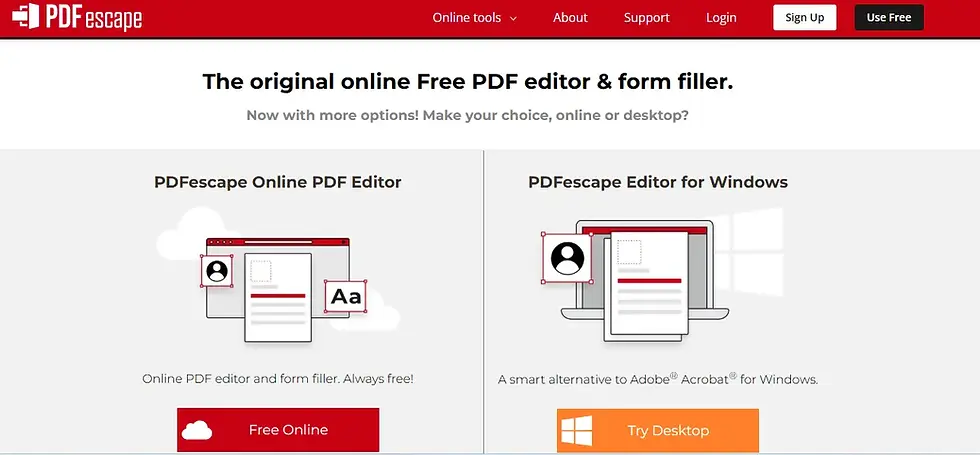
Why we love it: For simple edits like form filling, annotations, and basic text tweaks, PDFescape’s online editor is a quick, watermark-free solution - no installation required.
Key Features:
Online PDF editor and form filler
Insert shapes, text, and links
Rearrange and delete pages
Works in any browser
Limitations: Max file size is 10MB (for free users)
Best For: Light edits and Chromebook users
Comparison Chart | Free PDF Tools 🧾
Feature | PDFgear | iLovePDF | Sejda | Foxit | PDFescape |
No Watermark | ✅ | ✅ | ✅ | ✅ | ✅ |
Text Editing | ✅ | ❌ | ✅ | ✅ | ⚠️ Limited |
Cloud-Based | ❌ | ✅ | ✅ | ❌ | ✅ |
Form Filling | ✅ | ✅ | ✅ | ✅ | ✅ |
OCR Support | ❌ | ⚠️ Paid | ✅ | ⚠️ Paid | ❌ |
Desktop Version | ✅ | ❌ | ✅ | ✅ | ❌ |
Mobile App | ✅ | ✅ | ✅ | ✅ | ❌ |

Wrapping Up💡
You don’t have to pay a premium or put up with watermarks - to edit PDFs like a pro in 2026. Each of these free tools brings something unique to the table:
PDFgear is best for all-in-one needs.
iLovePDF is perfect for cloud lovers.
Sejda is the privacy-first power user’s dream.
Foxit is lightweight and business-ready.
PDFescape wins for no-install access.
👉 Pro Tip: For consistent performance and offline use, we recommend downloading PDFgear or Foxit.
Which free PDF editor do you swear by? Let us know in the comments or tweet us @FintechShield!


Comments