.png)
Peppermint OS: A Lightweight Linux Distribution Built for Speed and Simplicity

Updated: Sep 18

Introduction | Peppermint OS
In the Linux world, lightweight distributions often fall into two extremes, either they’re blazing fast but feel outdated, or they look modern but demand more resources than expected. Peppermint OS sits quietly in the middle, offering a balance that many users overlook until they actually try it. Originally designed for older hardware but flexible enough for modern systems, Peppermint OS has evolved into a clean, fast, and surprisingly versatile Linux distribution that works equally well for beginners and experienced users.
Let’s take a closer look at what Peppermint OS really is, how it works, and who it’s best suited for.
What Is Peppermint OS?
Peppermint OS is a lightweight Linux distribution designed to be fast, efficient, and easy to use. It’s built with simplicity in mind, focusing on essential features rather than flashy visuals or heavy desktop environments.
One of its defining characteristics is its hybrid approach - blending traditional desktop computing with cloud-based and web applications. This philosophy keeps the system responsive while allowing users to access modern tools without installing heavy software packages.
A Brief Background of Peppermint OS
Peppermint OS was originally based on Ubuntu and later shifted toward Debian-based foundations in newer versions. This transition brought greater stability, longer support cycles, and better control over system updates.
Unlike many distributions that constantly reinvent themselves, Peppermint has stayed true to its core goal:deliver a fast Linux desktop that doesn’t get in the user’s way.
Desktop Environment: Lightweight by Design
Peppermint OS uses a minimal desktop environment (traditionally LXDE/LXQt or a lightweight Xfce-style setup depending on the version). The result is:
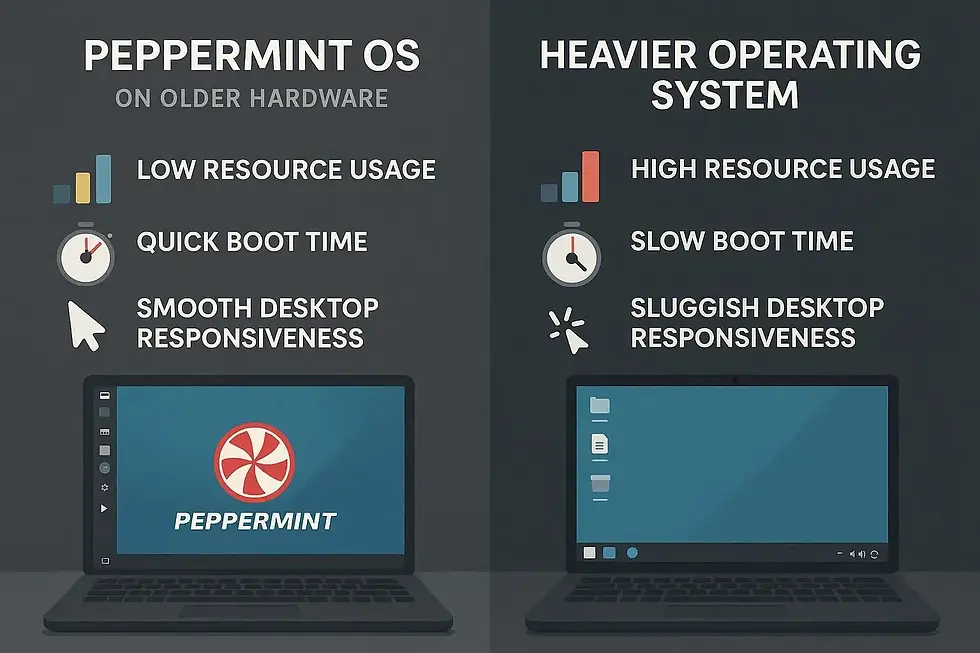
Low RAM usage
Fast boot times
Smooth performance even on older laptops
The interface feels familiar taskbar, application menu, system tray which makes the transition easy for users coming from Windows.
A subtle but important detail: Peppermint avoids unnecessary animations and background services, which is one reason it feels consistently snappy.
Key Features That Make Peppermint OS Stand Out
Peppermint OS is designed to deliver fast performance, low resource usage, and a simple user experience, making it ideal for older hardware and everyday tasks.
Extremely Lightweight
Peppermint OS can run comfortably on systems with limited RAM and older CPUs. It’s a strong choice for reviving aging hardware that struggles with heavier operating systems.
Hybrid Web App Integration
Peppermint popularized the idea of integrating web apps directly into the desktop experience. This allows users to run web-based tools like email, productivity apps, or dashboards as if they were native applications.
This approach reduces system load while keeping workflows modern.
Minimal Preinstalled Software
Instead of bundling dozens of apps you may never use, Peppermint ships with only the essentials.
Benefits:
Less clutter
Faster updates
Greater user control
You install only what you actually need.
Debian/Ubuntu Ecosystem Compatibility
Depending on the version, Peppermint benefits from either Ubuntu or Debian repositories, giving users access to thousands of stable, well-maintained packages. This ensures long-term software support and easy system updates.
Excellent Stability
Peppermint prioritizes reliability over experimental features. That makes it suitable not just for personal use, but also for work environments where stability matters more than novelty. Users can rely on consistent performance with minimal system crashes or disruptions.
System Requirements (Why It’s Ideal for Old PCs)
Peppermint OS is known for modest hardware requirements:
CPU: 64-bit processor
RAM: 1 GB minimum (2 GB recommended)
Storage: ~8–10 GB
Graphics: No special GPU required
In real-world use, it performs well on machines that are over a decade old.
Peppermint OS vs Other Lightweight Linux Distros
Compared to alternatives like Lubuntu, Linux Lite, or antiX:
Peppermint feels cleaner and less cluttered
Offers a better balance between modern usability and performance
Focuses on workflow efficiency rather than extreme minimalism
It’s not the lightest Linux distro ever made - but it’s one of the most practical.
Who Should Use Peppermint OS?
Peppermint OS is a great choice if you are:
Reviving an old laptop or desktop
New to Linux and want a familiar interface
Tired of bloated operating systems
Looking for a fast, distraction-free work environment
Running Linux on low-resource virtual machines
It’s especially appealing to users who spend much of their time in browsers and cloud-based tools.
Things to Keep in Mind
Peppermint OS intentionally avoids:
Heavy desktop effects
Large preinstalled software suites
Deep visual customization out of the box
If you want flashy animations or a heavily themed desktop, other distros may suit you better. Peppermint is about getting work done efficiently, not showing off visuals.
Closing Notes: Is Peppermint OS Worth Trying?
Absolutely - especially if speed, simplicity, and stability matter to you. Peppermint OS proves that a Linux desktop doesn’t need to be heavy or complex to be powerful. By focusing on efficiency and user control, it delivers a smooth experience that feels refreshingly distraction-free.
For users with older hardware or anyone looking for a lightweight daily driver, Peppermint OS remains one of the most underrated Linux distributions available today.
Author: Kalyan Bhattacharjee
Category: Linux Guide | Tech Reviews | Operating System
Expertise: Technology Analyst & Digital Research Writer | 5+ Years of Experience
Source: Research-based content using publicly available technical resources and industry references
📚 Keep exploring - Here are more tech blogs you’ll love:


Comments