
JOPDF Review | A Free, No-Nonsense PDF Editor Worth Trying in 2026

Updated: Feb 9
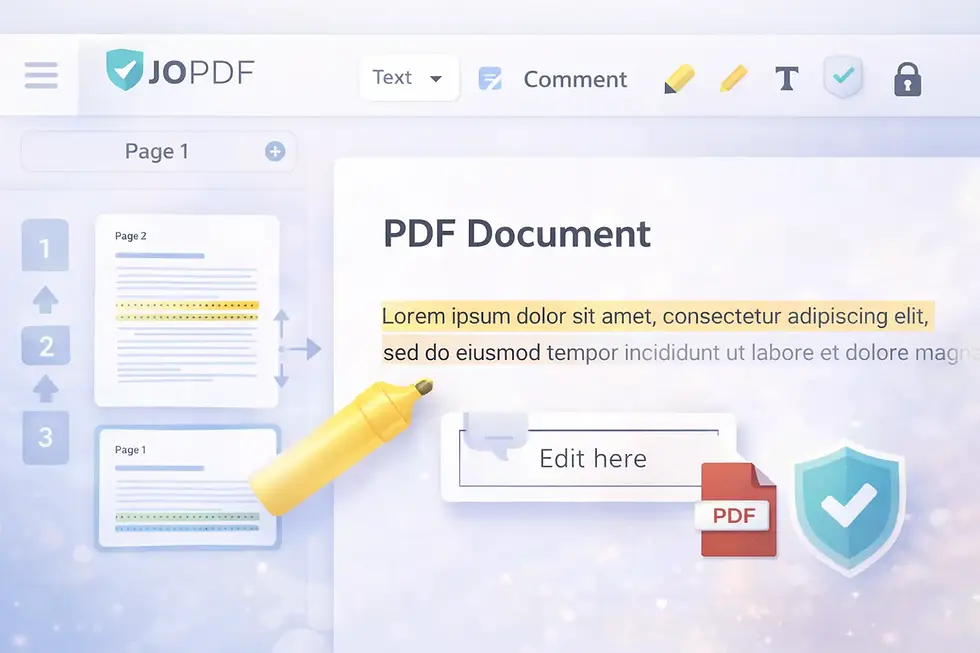
Overview | JOPDF
If you work with documents regularly, you already know how frustrating PDFs can be to edit without the right tools. Most full-featured editors lock essential features behind paywalls, and online tools often require uploads, a concern for privacy and speed. That’s where JOPDF comes in. It’s a completely free PDF editor that promises to give you many of the capabilities you’d expect from premium software - without subscriptions, watermarks, or hidden fees.
In this review, I’ll walk you through what JOPDF can do, where it shines, and what you should expect before installing it on your computer.
What Is JOPDF?
JOPDF is a desktop PDF editor and manager that works on Windows, macOS, and Linux. It’s designed as an all-in-one solution for editing, annotating, organizing, converting, and protecting PDF files - and it’s offered entirely free by the developers.
Unlike some tools that make you sign up, upgrade, or deal with watermarks on exported files, JOPDF lets you start working with your PDFs right away. It handles the basic and most important PDF tasks locally on your computer, which also means your documents stay private.
Key Features You’ll Actually Use
Here’s a look at the main features that make JOPDF a practical choice for everyday PDF work:

Edit Text and Images ✔
You can change existing text, insert new text or images, and adjust fonts directly in the PDF. This is something many free editors struggle with, but JOPDF handles it cleanly.
Annotate and Comment ✔
Need to highlight something or leave notes? The annotation tools let you add comments, draw shapes, or highlight text without altering the original layout too much.
Organize Pages ✔
Reordering, adding, deleting, or rotating pages is surprisingly simple, a drag-and-drop system keeps things intuitive even if it’s your first time editing PDFs.
Convert and Compress ✔
You can convert Word, Excel, PPT, or image files to PDF and vice versa. The built-in compression tool helps reduce large file sizes without visibly reducing quality, useful for emailing or sharing documents.
Secure Your Files ✔
JOPDF lets you add passwords and restrict permissions on sensitive documents. That’s a meaningful addition for anyone handling contracts, reports, or personal documents.
What People Using JOPDF Say
Based on user reviews and ratings:
Ease of Use: Many users praise the clean, intuitive interface that doesn’t require advanced training or tutorials.
Performance: The software runs smoothly even on older hardware, and doesn’t slow down or crash frequently.
Security Confidence: Users handling sensitive documents, like contracts or tax files, highlight that the password protection features give them peace of mind.
In short, people who use JOPDF regularly find it dependable for daily PDF tasks, whether for school, office, or personal use.
Where JOPDF Isn’t Perfect
While JOPDF offers a surprising amount of functionality for free, there are a few limitations worth mentioning:
UI Could Be Cleaner: Some users might find the layout slightly dated compared to sleeker paid alternatives. This doesn’t affect core functionality, but it’s noticeable.
No Mobile App: For now, JOPDF focuses primarily on desktop platforms, you won’t find a dedicated Android or iOS version yet.
These points aren’t dealbreakers, especially considering the price tag: zero.
Who Should Use JOPDF?
JOPDF is a good fit if:
You need a free, reliable PDF editor without subscriptions.
You edit documents regularly for work, school, or personal organization.
You care about privacy and want everything to happen locally on your own machine.
You’re simply looking for a PDF tool that gets the job done.
It might not be the best choice if you rely heavily on enterprise-level tools and workflow automation.

Closing Notes
JOPDF delivers on its promises. It’s a genuinely free PDF editor that doesn’t hide essential features behind paid walls, doesn’t watermark your files, and doesn’t nag you to upgrade, and that’s rare in this space. For most users with everyday PDF needs, it’s not just “good for free software” - it’s a capable and dependable tool in its own right.
If you’re tired of limited online services or expensive subscriptions for basic PDF editing tasks, give JOPDF a try. You might find it becomes your go-to tool for working with PDFs.
Have you tried JOPDF yet? Let me know what you think in the comments section.
Author: Kalyan Bhattacharjee
Category: Technology Reviews | Learning & Productivity
Expertise: Technology Analyst & Digital Research Writer
Source: Research-based content using publicly available technical resources and industry references
Related Keywords: JOPDF review, free PDF editor software, JOPDF PDF editor, free PDF editing tool, PDF editor without watermark, best free PDF editor for Windows, is JOPDF safe to use, JOPDF features and limitations, free PDF editor for PC, offline PDF editor free, PDF editor without subscription, fintech shield


Comments