.png)
Google Update Lets Users Change Their Gmail Address Without Data Loss

Updated: Sep 18

Overview | Google Update for Gmail Address
For years, Gmail users have shared the same frustration: once you choose a Gmail address, you’re stuck with it forever. Whether it was a teenage username, an unprofessional handle, or a name that no longer represents who you are, there was no official way to change it, until now.
Google is finally rolling out a long-awaited feature that allows users to change their Gmail address without losing data, marking a major shift in how digital identity works within the Google ecosystem. This update may look small on the surface, but its impact is huge.
What Exactly Is Google Changing?
With this new rollout, users will be able to update their primary @gmail.com address while keeping the same Google account.
That means:
Your emails stay intact
Your Google Drive files remain untouched
YouTube, Photos, Calendar, and other services continue to work normally
In simple terms, Google is separating your account identity from your email username - something users have been requesting for more than a decade.
How the New Gmail Address Change Works
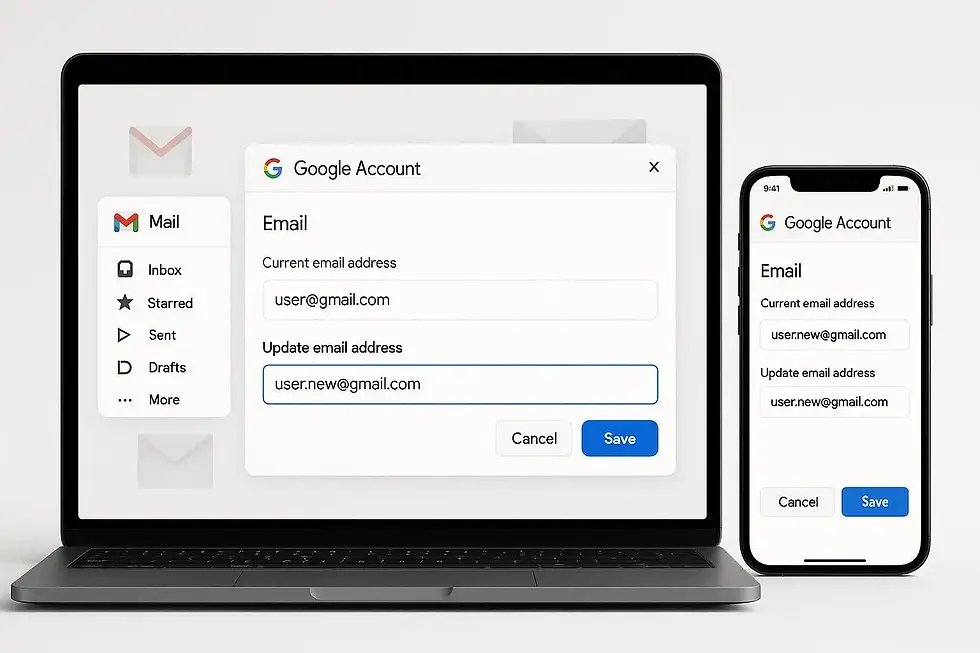
Instead of forcing users to create a new account, Google is introducing a username-change system inside account settings.
Here’s How it Works Conceptually:
You select a new Gmail username (if available)
Your old Gmail address becomes an alias
Emails sent to both old and new addresses arrive in the same inbox
You can log in using either email address
This approach ensures a smooth transition without breaking access to existing services.
What Happens to Your Old Gmail Address?
One of the biggest concerns users have is losing access to emails sent to their old address. Google has addressed this carefully.
Your old Gmail Address:
Remains active as an alias
Continues receiving emails
You can continue using it to access your Google account.
So if someone emails your old address years later, you won’t miss it.
Are There Any Limits or Restrictions?
Yes - and they’re reasonable.
According to early reports:
Users can change their Gmail address up to 3 times
There is a 12-month waiting period between changes
The feature is rolling out gradually, not all at once
This prevents abuse while still giving users long-term flexibility.
Why Google Is Doing This Now
This update isn’t random, it reflects a broader shift in how Google views identity, privacy, and long-term users.
Here’s Why it Matters Now
Many users created Gmail accounts over 10–15 years ago
Gmail is now used for banking, work, legal documents, and business
Digital identity has become more permanent and more important
By allowing username changes, Google is acknowledging that people evolve, and their digital identities should be able to evolve too.
Who Will Benefit the Most From This Feature?
This update is especially useful for:
Professionals stuck with casual or outdated email IDs
Users who changed names after marriage or legally
Content creators who want a more brand-friendly email
Anyone embarrassed by an old Gmail username
Instead of migrating years of data to a new account, users can now fix the problem at its source.
Where Will You Find This Option?
Once available for your account, the option is expected to appear under:
Google Account → Personal Info → Email
Because this is a phased rollout, some users (especially in India) may see it earlier than others.
Does This Affect Security or Privacy?
From a security standpoint, this update is actually a positive move.
Google maintains:
The same account ID internally
Existing security settings (2FA, recovery email, devices)
Login protections across services
Only the visible email username changes - not the account itself.
Why This Change is Important for Gmail Users
Gmail has over 1.8 billion users worldwide, and this is one of the most requested features in its history.
It signals that Google is:
Listening to long-term user feedback
Modernizing account identity management
Giving users more control without sacrificing security
For many people, this single update removes the need to ever create a second Gmail account again.
Key Takeaways
Google allowing users to change their Gmail address is a quiet but powerful upgrade. It fixes a long-standing pain point, respects user history, and adapts Gmail for the modern digital world.
If you’ve been waiting years to fix an old email address without starting over - this update is for you.
Disclaimer: This article is based on currently available reports and early rollout information. Features may vary by region and account, and Google may change or update functionality at any time. Always refer to official Google documentation for the most accurate details.


fs4273155@gmail.com
Gmail no search ID