.png)
Gaming on Android 16 with Custom ROMs – What’s New?

Updated: Sep 20

Overview | Android 16 - Gaming
Android 16 is turning into the most gamer-focused version of Android to date. Between Google’s Vulkan-first graphics stack, smarter game modes, and AI-powered assist tools, the platform gives both stock users and custom ROM enthusiasts serious performance and UX wins.
Below I break down what’s actually new, what matters for gamers, and how custom ROMs can take it further, without straying into risky tweaks.
TL;DR (Higlights) - Android 16 custom ROM gaming
This quick summary highlights the key Android 16 features and custom ROM considerations for gaming performance, compatibility, and optimization.
Vulkan-first future: Android 16 continues Google’s move to standardize on Vulkan, with OpenGL ES increasingly routed through ANGLE on newer devices. You can expect smoother performance across different GPUs with fewer device-specific issues.
Game Mode + Dashboard mature: Game Mode APIs and Game Dashboard features (FPS counter, DND, capture) are now widely available and more predictable across OEMs (especially Pixels).
AI in the flow of play: “Circle to Search” and Gemini enhancements add in-game look-ups and contextual assist without leaving your title handy for builds, boss mechanics, or quick checks.
Custom ROMs still matter: You get per-app refresh/thermal tuning, bloat-free builds, faster security patches, and sometimes newer GPU drivers provided you pick ROMs/kernels that track the latest graphics changes and don’t break anti-cheat.
What’s Actually New for Gaming in Android 16
Android 16 brings a fresh wave of gaming-focused upgrades designed to boost performance, visuals, and responsiveness.
Vulkan Everywhere (and ANGLE for OpenGL)
Google’s direction is clear: Vulkan is the preferred graphics API. On Android 15+, ANGLE (OpenGL-on-Vulkan) ships as an optional layer; on newer devices with Android 16+ Google is pushing the ecosystem to route more OpenGL content through ANGLE. Why this matters: predictable drivers, fewer OEM-specific OpenGL oddities, and often better stability.
Lesser-known detail: On some phones, ANGLE is already the system GLES driver. Over time, legacy GLES drivers are being phased out in favor of a single Vulkan-based stack. This is particularly relevant if you run emulators or older games: they’ll still work, but performance characteristics may change as they ride on ANGLE. Test before you blame the ROM.
Game Mode API + Interventions: More Consistent Tuning
With the Game Mode API, Android and OEMs can now fine-tune games to favor either peak performance or extended battery life. Google and OEMs can also apply Game Mode Interventions for titles that aren’t actively maintained, nudging them toward better defaults. As of Android 12+, this is widely supported; by Android 16 the behavior is more consistent and the Dashboard hooks are better surfaced on Pixels.
Pro tip: If your favorite title has a “Performance” toggle in Dashboard and a 90/120 Hz mode, pair them - Android will favor CPU/GPU throughput while your ROM locks the higher refresh.
AI Assist During Gameplay
Google’s Circle to Search updates let you query what’s on screen - even in-game and get contextual info without alt-tabbing to a browser. Paired with Gemini enhancements, this is surprisingly useful for quick build checks, map hints, or gun stat look-ups. It’s rolling out on the newest Android 16 devices first (e.g., Samsung foldables).
Why Custom ROMs Still Rock for Gamers
Done right, a custom ROM on Android 16 can feel like a purpose-built “gaming edition”:
Clean foundation: fewer unnecessary background services help reduce CPU spikes and maintain cooler thermals during long play sessions.
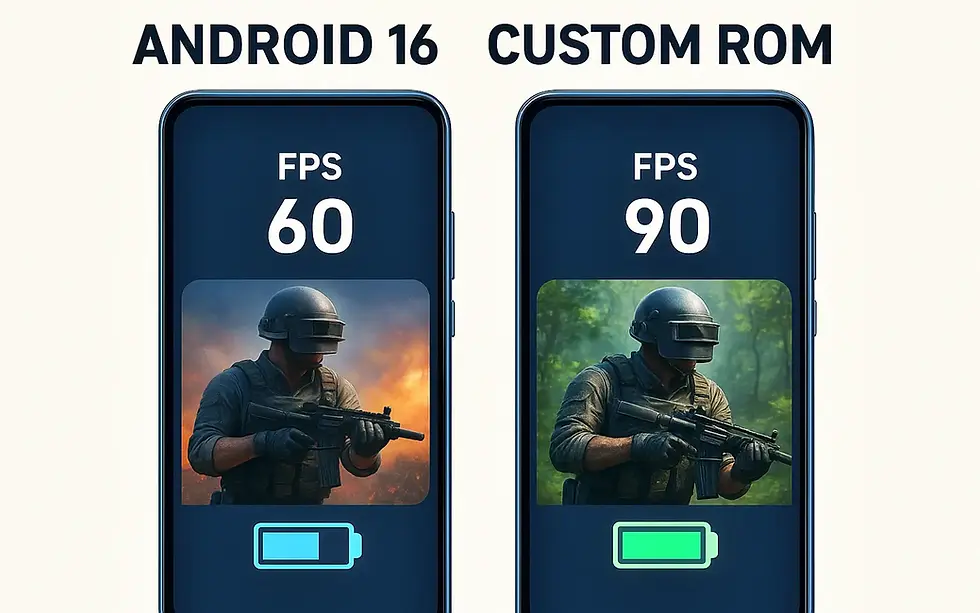
Custom refresh rates & touch optimization: Many ROMs allow per-app 90/120/144Hz settings along with improved touch sensitivity for gaming.
Thermal profiles that make sense: Stock thermal limits can be conservative; ROMs often let you select balanced profiles that avoid harsh throttling without toasting your phone.
Updatable GPU drivers: Some devices surface Play-Store-delivered GPU drivers (especially Adreno on popular flagships), or expose Graphics Driver Preferences for per-app testing handy if a game stutters after an update.
⚠️ Reality check: Don’t try to bypass anti-cheat. Root/hard mods can violate game ToS and may trigger bans. If you play ranked in BGMI/CODM/Free Fire, prefer non-root builds and clean boot images.
ROM & Kernel Picks (What to Look For)
I won’t crown a single “best” ROM (device support changes fast), but here’s a checklist that travels well across LineageOS, Pixel-flavored ROMs (ProtonAOSP), crDroid, EvolutionX, etc:
Android 16 base with current security patch – fundamental for Play integrity and stability.
Refresh-rate controls per app – lock your competitive titles to 90/120/144 Hz.
Thermal/Power profiles – a balanced or “gaming” profile that avoids sharp frequency drops.
Scheduler tuned for games – EAS/HMP settings that keep big cores available under touch load.
Vulkan priority – always verify that your ROM and kernel fully support the Vulkan extensions required by your game engine (Unity/Unreal default to Vulkan on supported hardware).
Clean vendor/OEM blobs – newer GPU blobs often matter more than the ROM itself.
Widevine/Integrity intact – for streaming + anti-cheat sanity.
Hands-On Setup: Fluid Performance Minus the Tricks
These practical tweaks can help you maintain smoother, more consistent gaming performance without relying on unnecessary performance tricks.
Use Game Dashboard wisely: Turn on Performance mode for the game, enable the FPS counter, and add a shortcut for quick screen recording. On Pixels, this is built-in on Android 12+.
Lock refresh rate per app: In ROM settings or developer options (varies by ROM), cap the target game to your panel’s sweet spot (e.g., 90 or 120 Hz) to reduce oscillation between rates.
Thermal profile = Balanced+: Avoid “max perf” if your device throttles hard after 5–10 minutes; a steadier 60–90 FPS beats a spiky 120→60→90 rollercoaster.
Prefer Vulkan in-game: If a title lets you pick “Vulkan” vs “OpenGL,” choose Vulkan on Android 16; OpenGL paths may now ride through ANGLE anyway. Test both on your device.
Keep GPU driver updated: If your device supports Play-Store GPU drivers (common on Snapdragon flagships), take the updates. They often fix game-specific bugs.
Avoid aggressive “RAM cleaners”: They can kill game services and cause stutters. Let the ROM’s memory policy do its thing.
Dev & Power-User Corner: Optimizing Android Gaming
For developers and custom ROM enthusiasts, Android provides several tools and APIs for tuning game performance, graphics, and power usage.
Game Mode API
Developers can support Performance, Battery, Standard, and Custom game modes, allowing games to adjust performance or battery-saving behavior based on user preferences.
Android Performance Tuner (APT)
Helps developers analyze frame-rate and performance issues across different scenes, quality settings, and device models.
Android Dynamic Performance Framework (ADPF)
Provides CPU/GPU and thermal-performance information that games can use to adapt workloads and maintain more sustainable performance. Android 16 also adds CPU and GPU headroom APIs for resource-intensive apps.
Vulkan & ANGLE
Vulkan remains Android's preferred modern graphics API. ANGLE provides an OpenGL ES translation layer over Vulkan and can help developers test compatibility and graphics behavior across supported devices.
Performance profiling
Android's profiling and graphics tools can help developers identify CPU, GPU, frame-pacing, startup, and other performance bottlenecks before optimizing a game or ROM.
Should You Flash a Custom ROM for Gaming?
Yes-if your device has a healthy ROM scene and you value control over refresh/thermals, bloat-free builds, and fast security patches. Maybe not-if you play anti-cheat-sensitive competitive titles and don’t want to risk integrity flags. In that case, stick to stock Android 16 on a well-supported phone and use the built-in Game Dashboard + Vulkan where possible.
What I’m Watching Next
Deeper ANGLE rollout: As more devices make ANGLE the default GLES path, emulator and legacy game behavior will keep improving - but expect some regressions that ROMs/kernels must accommodate.
AI in-game helpers: The in-game Circle to Search + Gemini workflow is just getting started. Expect richer overlays that evolve into true “coach” features for complex titles.
Written By: Kalyan Bhattacharjee
Android Performance Tweaker | Custom ROM Guide | Fintech Shield


Comments